
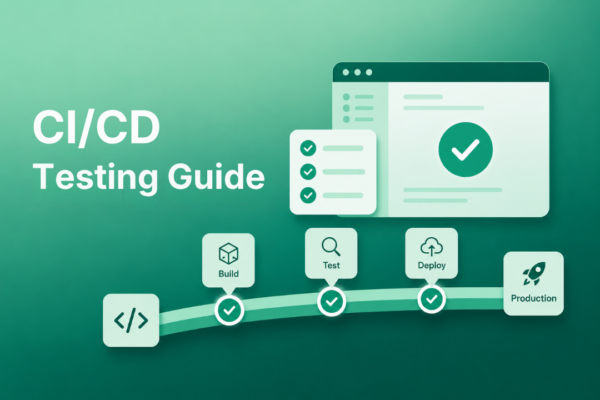
Shipping fast is great until the wrong thing ships fast. A CI/CD pipeline can move code from commit to production in minutes, but speed alone does not tell you whether a login still works, a checkout flow still completes, or a critical form still submits. That is the job of CI/CD testing.
The best pipelines do more than pass builds. They catch small problems before they become customer-facing ones, using the right mix of unit, integration, API, browser, smoke, and post-deployment tests. This guide breaks down what to test at each stage of your CI/CD pipeline, how automated browser testing helps, and how to keep releases moving without turning your pipeline into a slow, flaky mess.
Table of Contents
- What is CI/CD testing?
- CI/CD testing vs. continuous integration vs. integration testing
- Why CI/CD testing matters
- What to test at each CI/CD pipeline stage
- The test pyramid: Balancing speed and coverage
- How to keep CI/CD tests fast and trustworthy
- Why browser testing matters in CI/CD
- Common CI/CD testing mistakes
- How Ghost Inspector supports CI/CD testing
- CI/CD FAQs
What is CI/CD testing?
CI/CD testing is the practice of automatically validating code at each stage of a continuous integration and continuous delivery pipeline. Instead of waiting for a manual QA cycle at the end of development, teams use automated tests to confirm that each change is safe to merge, build, deploy, and monitor in production.
CI/CD testing usually includes two related but distinct stages:
- Continuous integration testing validates code when it is committed, merged, or built. These tests are designed to catch defects early before they spread into the main branch or a shared environment.
- Continuous delivery or deployment testing validates code as it moves toward production and after it is released. These checks often include staging tests, smoke tests, canary checks, and production monitoring.
The best CI/CD pipelines use testing as a quality gate. If the right checks fail, the release should stop until the issue is fixed.
CI/CD testing vs. continuous integration vs. integration testing
These terms sound similar, but they are not interchangeable.
- Continuous integration is the development practice of frequently merging code into a shared branch and automatically building or testing those changes.
- Integration testing is a test type that checks whether different components, services, or systems work together correctly.
- CI/CD testing is the broader strategy of deciding which automated tests should run across the entire delivery pipeline.
In other words, integration testing may be one part of CI/CD testing, but CI/CD testing also includes unit tests, API tests, browser tests, smoke tests, visual checks, and post-deployment monitoring.
Why CI/CD testing matters
CI/CD helps teams ship faster, but speed only helps when releases are reliable. A pipeline that builds and deploys code without meaningful automated testing can move broken changes into production faster than a manual process would.
Good CI/CD testing gives teams confidence at each release checkpoint. Developers get quick feedback before code is merged. QA teams spend less time repeating the same manual regression checks. Product and support teams get more confidence that important customer workflows still work. Customers experience fewer broken forms, failed logins, checkout issues, and production surprises.
This matters even more as teams ship smaller changes more frequently. The more often code moves, the more important it becomes to have automated checks that are fast enough to run often and reliable enough to trust.
What to test at each CI/CD pipeline stage
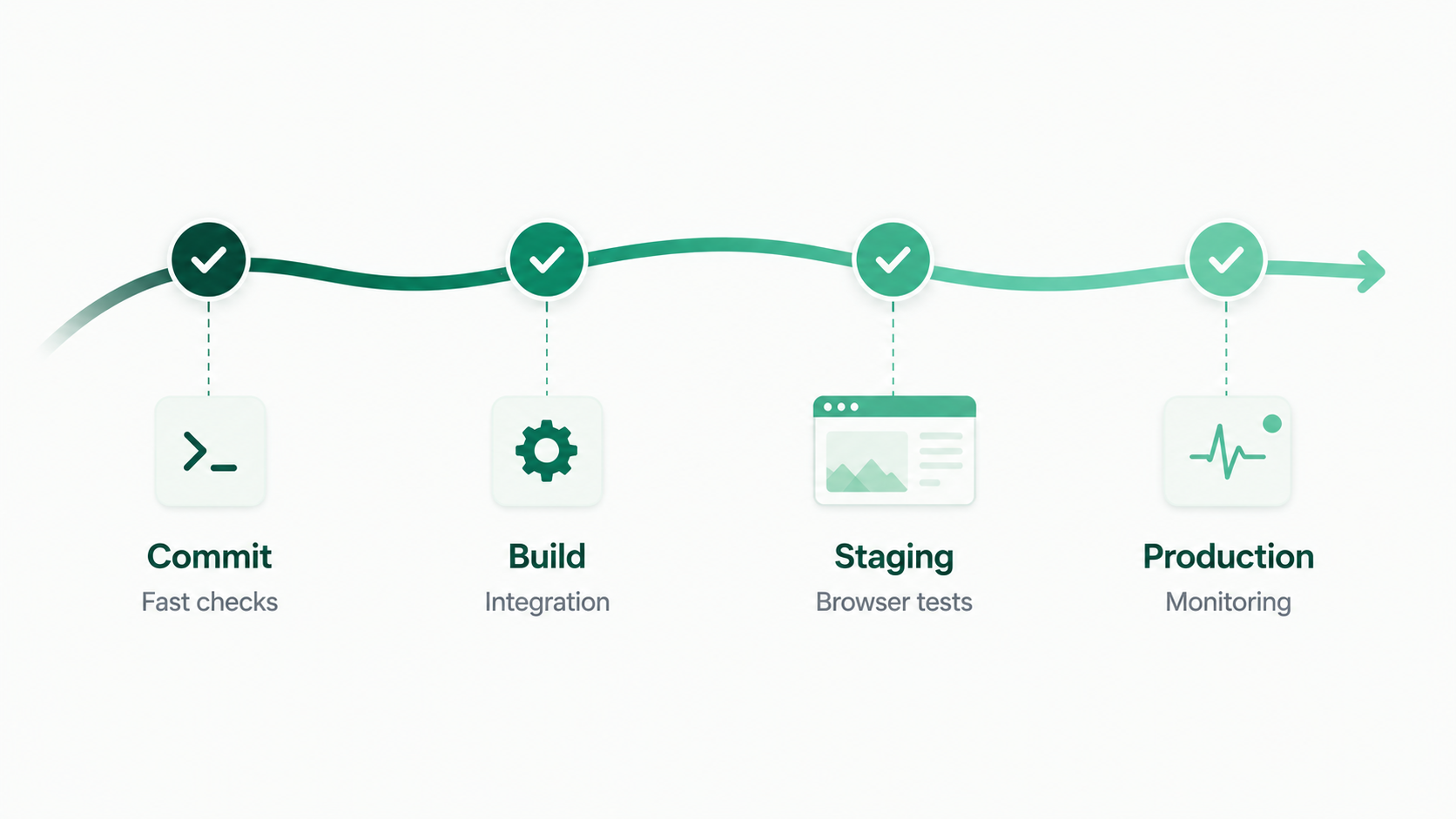
The most useful way to think about CI/CD testing is by pipeline stage. Each stage should answer a different question.
Stage 1: On commit or pull request
Goal: Catch common issues quickly before code is merged.
This stage should be fast. Developers are usually waiting on these results, so the checks should run in seconds or a few minutes.
- Linting and static analysis
- Unit tests
- Dependency checks
- Basic security scanning
- Type checking, when applicable
If this stage becomes too slow, teams start working around it. Keep the first layer focused on fast feedback.
Stage 2: On merge or build
Goal: Confirm that the application still works once code is integrated.
After code is merged, the pipeline can run checks that need more of the application to be assembled.
- Integration tests
- API tests
- Contract tests
- Database migration checks
- Build validation
This stage is where teams usually catch issues that unit tests miss, such as services failing to communicate correctly, API responses changing unexpectedly, or data assumptions breaking across components.
Stage 3: Pre-deployment or staging
Goal: Validate complete user workflows before the release reaches production.
This is where browser testing becomes especially valuable. Unit and API tests can tell you a lot about the internals of the application, but they cannot fully confirm that a real user can complete an important workflow in a real browser.
- End-to-end browser tests
- Smoke tests on critical flows
- Visual regression checks
- Cross-browser checks
- High-priority regression tests
Focus this stage on the workflows where failure would hurt the business: signup, login, checkout, form submissions, onboarding, billing, dashboards, and other core product paths.
Stage 4: Post-deployment and production monitoring
Goal: Confirm that production still works after the release goes live.
Testing should not stop once code is deployed. Production has variables that staging cannot always reproduce: real third-party services, real data, real infrastructure, and real traffic patterns.
- Post-deploy smoke tests
- Canary checks
- Synthetic monitoring
- Scheduled browser tests against production
- Alerts when critical flows fail
This stage helps teams catch problems like a broken login flow, a failed payment provider, or a third-party script that starts blocking a key page after deployment.
The test pyramid: Balancing speed and coverage
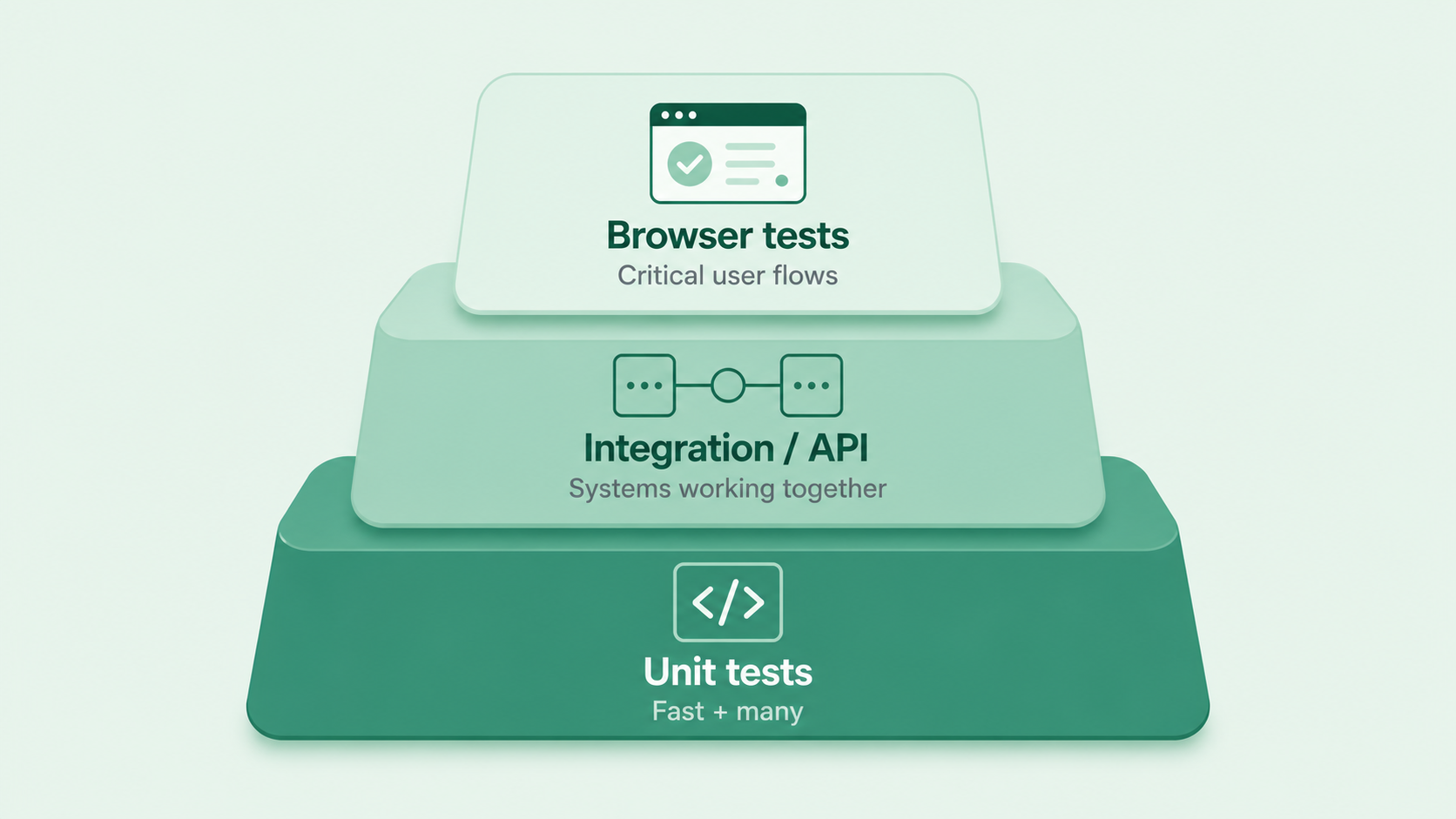 The test pyramid is a helpful model for deciding how many tests to run at each layer of the pipeline.
| Layer | Test type | Speed | Quantity | What it validates |
|---|---|---|---|---|
| Base | Unit tests | Very fast | Many | Individual functions, components, and logic |
| Middle | Integration and API tests | Moderate | Some | How services, systems, and data work together |
| Top | End-to-end browser tests | Slower | Fewer, high-value | Complete user workflows through the UI |
The pyramid does not mean browser tests are unimportant. It means they should be selective. Because end-to-end tests require more infrastructure and maintenance, they should focus on the user journeys where failure would create the most risk.
A healthy CI/CD testing strategy uses many fast checks to catch simple issues early, then uses a smaller number of browser tests to validate that the most important workflows actually work for users.
How to keep CI/CD tests fast and trustworthy
The biggest threat to CI/CD testing is not usually a lack of tests. It is a pipeline that becomes slow, flaky, and ignored. When the team stops trusting the pipeline, the quality gate stops working.
Run tests in the right order
Fast tests should run first. Slow tests should run later. There is no reason to wait on a browser test suite before finding out that a unit test or syntax check failed.
Separate blocking and non-blocking checks
Some tests should block a release. Others can run asynchronously and alert the team if they fail. For example, a critical smoke test failure should stop a deployment, while a lower-priority visual check might create a follow-up ticket instead.
Use parallelization where possible
If a test suite is valuable but slow, parallelization can reduce wait time without removing coverage. Many CI platforms and testing tools support parallel test execution.
Fix flaky tests quickly
A flaky test is worse than a failing test because it teaches the team to distrust the pipeline. Common causes include timing issues, brittle selectors, shared test data, unstable environments, and dependencies that are not controlled during the test.
When a test is flaky, do not let it linger indefinitely. Fix it, quarantine it, or remove it until it can produce a useful signal again.
Make ownership clear
Every test suite needs an owner. If nobody knows who should fix a broken browser test, a failing build becomes noise. Clear ownership keeps test failures actionable.
 CI/CD FAQs
What is the difference between CI testing and CD testing?
CI testing runs when code is committed, merged, or built. It usually focuses on fast feedback through unit tests, integration tests, API tests, and build checks. CD testing runs as code moves toward production and after it is deployed. It often includes staging tests, smoke tests, canary checks, and production monitoring.
When should end-to-end tests run in a CI/CD pipeline?
End-to-end tests usually run after faster checks have passed, often in staging or pre-deployment environments. Critical smoke tests can also run after deployment to confirm that production works correctly.
How many end-to-end tests should a team have?
Enough to cover the workflows where failure would create real customer or business impact. For most teams, that means focusing on core paths like signup, login, checkout, billing, and the most important in-app workflows rather than trying to automate every possible path through the product.
What causes flaky tests in CI/CD?
Common causes include timing issues, unstable test environments, inconsistent test data, network dependencies, third-party services, and brittle selectors that break after small UI changes.
Can non-engineers contribute to CI/CD testing?
Yes, especially at the browser testing layer. No-code testing tools let QA analysts, product managers, support teams, and other non-engineers create and maintain automated tests for important user workflows.
Do you still need browser testing if you have strong unit tests?
Yes. Unit tests validate individual pieces of code in isolation. Browser tests validate whether the complete user-facing application works in a real browser. Both layers matter, but they answer different questions.
The bottom line
A strong CI/CD testing strategy is not about running more tests everywhere. It is about running the right tests at the right stage.
Use fast checks early to protect developer feedback. Use integration and API tests to validate how systems work together. Use browser tests to confirm that critical user flows work before deployment. Use post-deployment smoke tests and synthetic monitoring to keep production honest after release.
Most teams already have some early pipeline checks in place. The bigger gap is often the layer closest to customers: reliable browser testing and ongoing production monitoring. Closing that gap helps teams ship faster without losing confidence.
Ghost Inspector gives teams no-code browser testing and synthetic monitoring for CI/CD pipelines, so critical user flows can be tested before deployment and monitored continuously after release.