






Website teams often use “testing” and “monitoring” in the same conversation, but they solve different problems.
Website testing helps teams catch issues before changes go live. Website monitoring helps teams catch issues after the site is already in production. Both are important because a workflow can pass QA before deployment and still break later because of third-party outages, expired credentials, CDN issues, production-only configuration problems, or failures inside live integrations.
That distinction matters more than ever for modern web applications. A page can technically be online while signup is broken, checkout fails, or login no longer works correctly for users. Knowing that a page is “up” is not the same thing as knowing the experience still functions.
That is why the conversation is no longer website monitoring vs website testing. Modern teams need both. Automated testing helps teams ship with confidence before release. Monitoring helps teams stay confident after deployment. Synthetic monitoring, especially when it uses real browser tests, helps connect the two.
Table of Contents
- Website monitoring vs website testing
- Why website testing alone is not enough
- How synthetic monitoring bridges the gap
- Production issues browser monitoring can catch
- How to set up continuous website monitoring
- Synthetic monitoring vs real user monitoring
- Why teams need both testing and monitoring
- FAQs
Website monitoring vs website testing
Website testing is the process of validating whether a website or application behaves as expected before changes are released. Teams use testing to confirm that important user flows still work, forms submit correctly, checkout paths complete successfully, pages render properly across browsers, and new code does not break existing functionality.
Testing can be manual or automated. Manual testing usually involves someone clicking through critical flows before deployment. Automated website testing uses scripts or browser-based tests to repeat those checks automatically and consistently.
For example, an automated browser test might:
- Open the homepage
- Click the signup button
- Fill out a form
- Submit the flow
- Confirm the expected success message appears
That type of testing is especially valuable before releases because it gives teams confidence that important workflows still function after a code change.
Website monitoring serves a different purpose. Monitoring continuously checks whether a live website or application is still available, responsive, and functioning correctly in production.
Traditional website monitoring often focuses on uptime and performance. It may check whether:
- A page returns a successful HTTP response
- A server is reachable
- A site loads within an acceptable timeframe
That information is useful, but it does not always tell the full story. A homepage can return a 200 status code while the checkout flow is broken. A login page can load while SSO fails. A pricing page can appear online while a third-party widget never renders.
A simple way to think about it:
- Website testing asks: “Are we ready to ship?”
- Website monitoring asks: “Is everything still working?”
- Synthetic monitoring asks: “Can a user still complete this important flow right now?”
The best approach is not choosing one over the other. Testing and monitoring protect different parts of the customer experience.
Why website testing alone is not enough
Website testing is strongest when it helps teams catch issues before they reach production. It is especially useful for:
- Regression testing before releases
- Validating new features
- Testing important user flows in staging
- Cross-browser testing
- Reducing repetitive manual QA work
- Giving developers faster feedback during release cycles
But production environments introduce risks that do not always appear during pre-release testing.
A workflow may pass in CI/CD or staging and still fail later in production because of:
- Expired credentials or API keys
- Third-party outages
- Payment processor failures
- CDN or asset loading issues
- Browser-specific behavior
- Authentication provider problems
- Real production data
- Tag managers or analytics scripts
- Consent banners or popup overlays
- Time-based logic or timezone-related bugs
This is the gap between pre-release confidence and production confidence.
Pre-release testing tells teams:
“This worked when we tested it.”
Production monitoring tells teams:
“This is still working right now.”
That distinction matters because users do not experience your staging environment. They experience the live application, with real traffic, real integrations, and real business consequences when something breaks.
How synthetic monitoring bridges the gap
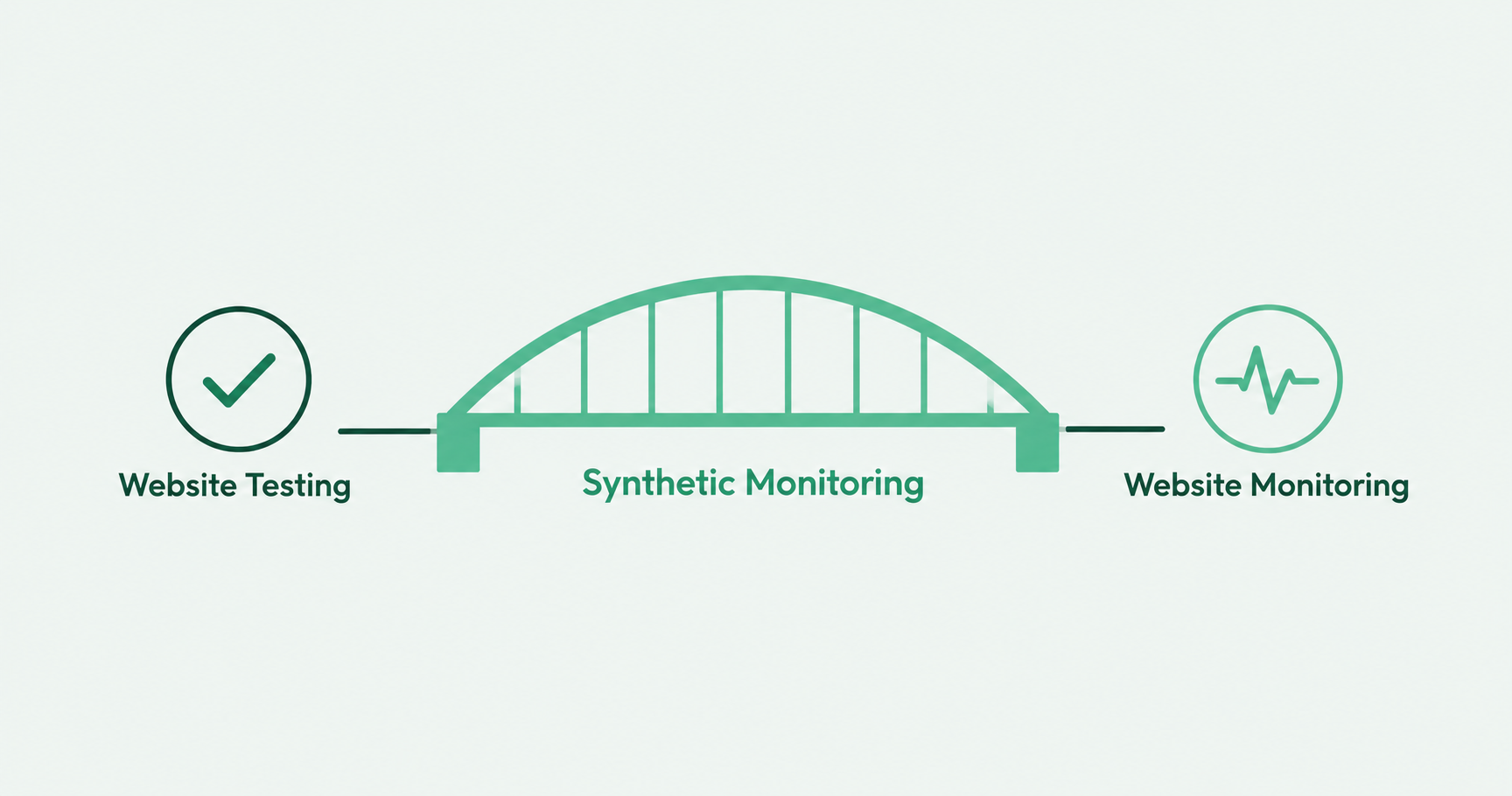
Synthetic monitoring helps connect website testing and website monitoring by using automated checks to simulate user behavior on a schedule.
Instead of waiting for customers to report a problem, synthetic monitoring proactively tests whether important workflows still function correctly in production.
For example, synthetic monitoring can verify that users can:
- Log in successfully
- Submit forms
- Complete checkout
- Access dashboards
- Reach confirmation pages
- Complete onboarding flows
The “synthetic” part simply means the activity is simulated. A monitoring tool acts like a user and runs through a predefined workflow automatically.
This becomes especially valuable when synthetic monitoring uses a real browser.
Many production issues only appear when JavaScript, redirects, third-party scripts, cookies, dynamic page elements, and frontend rendering are involved.
For example, a basic uptime check might confirm that a checkout page loads successfully. A browser-based synthetic monitor can confirm that a user can:
- Add a product to the cart
- Open checkout
- Fill out required fields
- Reach the payment step
- Submit the workflow
- See the expected confirmation message
That is much closer to what actually matters to the business.
Production issues browser monitoring can catch
Basic uptime monitoring can tell you whether a page is reachable, but it may not tell you whether the page actually works.
A homepage can be online while signup is broken. A login page can load while authentication fails. A checkout page can appear healthy while payments no longer process correctly.
Browser-based monitoring helps teams catch the kinds of production issues that often slip past pre-release testing.
Payment flow failures
Checkout flows often rely on payment processors, fraud checks, tax tools, shipping APIs, and third-party scripts. A checkout page can technically load while the actual transaction flow is broken.
Scheduled browser tests can walk through the checkout process and alert teams when a critical step fails.
Third-party widgets breaking
Many websites depend on third-party tools for chat, scheduling, forms, analytics, reviews, personalization, or consent management.
Those tools can fail independently from your own code. Synthetic monitoring can detect when an important widget fails to load, renders incorrectly, or blocks users from completing a key action.
SSO and login issues
Authentication often behaves differently in production than it does in staging.
SSO providers, redirects, session settings, and cookie policies can all create production-only issues. Scheduled browser tests can confirm users can still log in and access important application areas.
CDN and asset loading problems
A site may technically be online while CSS, JavaScript, images, or other assets fail to load properly.
Users may experience broken layouts, missing buttons, or pages that cannot function correctly even though uptime monitoring still reports the site as healthy.
Date or timezone-dependent bugs
Some failures only appear during billing cycles, scheduled reports, renewal windows, promotions, or timezone-specific workflows.
Running tests on a schedule helps teams catch issues that may never appear during standard release testing.
How to set up continuous website monitoring
A practical website monitoring setup does not need to cover every page on your website. Start with the workflows that matter most to your business.
Good candidates for monitoring usually include:
- Signup flows
- Login workflows
- Checkout processes
- Contact form submissions
- Demo request forms
- Password reset flows
- Subscription management
- Account dashboard access
- Search and filtering workflows
- Core product functionality
If a broken workflow would create lost revenue, missed leads, customer complaints, or loss of trust, it is probably a good candidate for monitoring.
Once you identify those workflows, create automated browser tests that mimic real user behavior.
For example, a signup monitoring test might:
- Open the signup page
- Fill out required fields
- Submit the form
- Confirm the expected confirmation page appears
Ghost Inspector is useful here because teams can create browser tests for important workflows, schedule them to run automatically, and receive alerts when something fails. That means tests do not stop being useful after deployment. They become ongoing monitors for the workflows that matter most.
The right testing frequency depends on how critical the workflow is. A checkout or login flow may need more frequent monitoring than a lower-risk form. Monitoring also only works if the right people know when something breaks.
A few monitoring and alerting best practices:
- Monitor complete workflows, not just page availability
- Prioritize flows tied to revenue or customer experience
- Use clear test names that describe the workflow being monitored
- Route alerts to the team responsible for the flow
- Include screenshots, videos, console logs, or step-level results when possible
- Review recurring failures and flaky tests regularly
- Avoid over-alerting on low-priority issues
The goal is not to monitor everything. The goal is to monitor the workflows that would hurt users or the business if they stopped working.

FAQs
What is the difference between website monitoring and website testing?
Website testing usually checks whether a site or application works before release. Website monitoring checks whether it continues to work after deployment. Testing supports release confidence, while monitoring supports production reliability.
Is synthetic monitoring the same as automated testing?
They are closely related, but not identical. Automated testing is commonly used before deployment to validate changes. Synthetic monitoring runs automated checks on a schedule, often in production, to confirm important workflows are still functioning.
Why is uptime monitoring not enough?
Uptime monitoring can tell you whether a server or page is reachable, but it may not confirm that users can complete critical workflows like signup, login, checkout, or form submission.
What should I monitor on my website?
Start with critical user flows tied to revenue, leads, customer experience, or account access. Common examples include signup, login, checkout, password reset, and subscription management workflows.
Do I need real user monitoring if I already use synthetic monitoring?
Sometimes, yes. Synthetic monitoring proactively checks known workflows under controlled conditions. Real user monitoring helps teams understand how actual users experience the site across devices, browsers, and locations.