






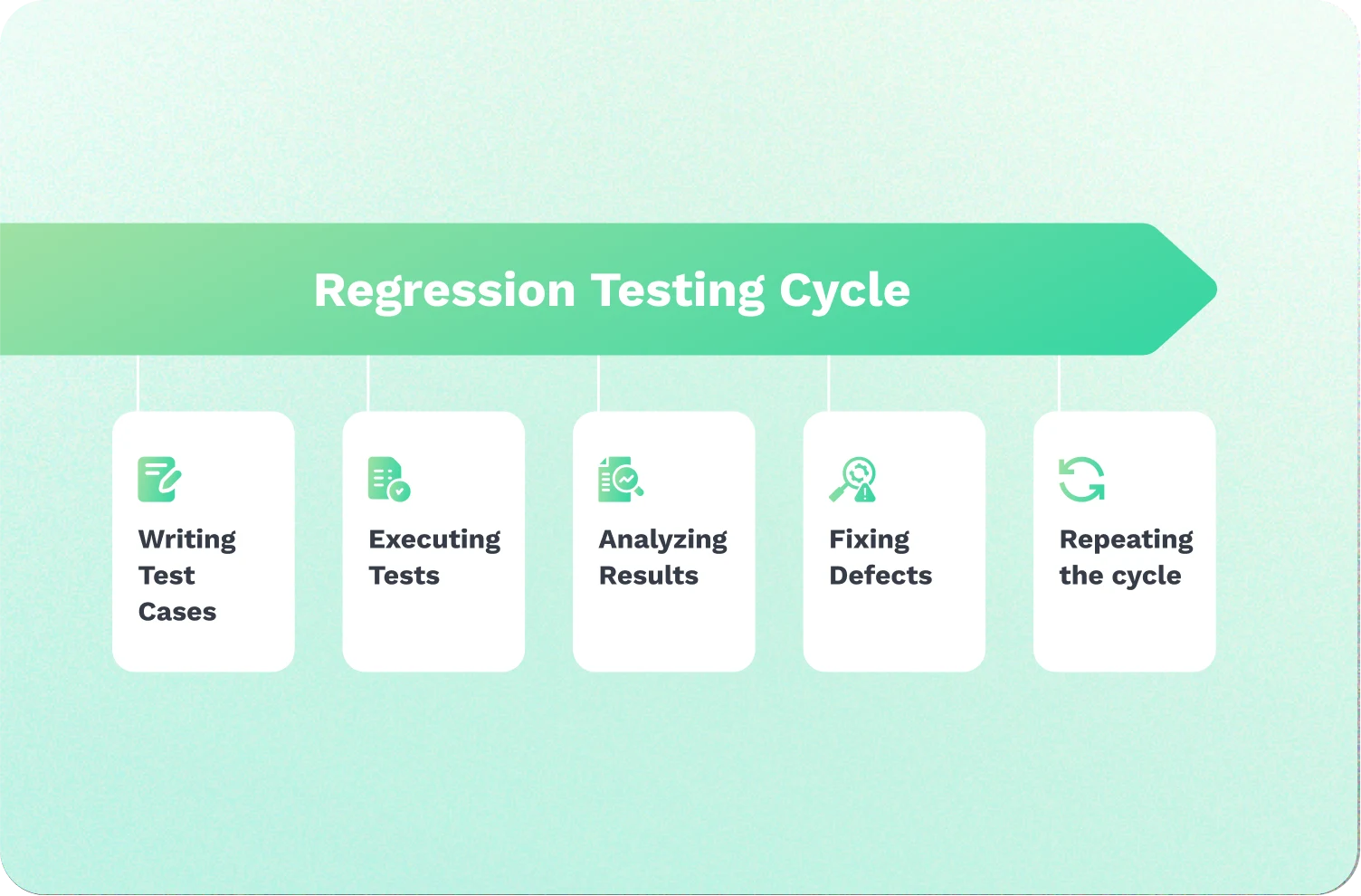
What is regression testing?
Regression testing is the process of retesting existing functionality after a code change to ensure nothing has broken. A common example of regression testing in action is when new functionality is added to an existing system, such as an e-commerce website. Suppose the developer adds a new feature allowing users to ship products to multiple delivery addresses. This could impact existing functionalities like checkout, payment gateways, or order tracking.
Regression testing ensures the new “ship to multiple addresses” feature works as intended while verifying that it hasn’t accidentally broken any of the website’s previous core functionalities that customers rely on.
If the team has to fix a bug in the software, regression testing verifies that the fix resolved the issue without introducing any new problems or breaking any existing functionality.
When should you perform regression testing?
Regression testing should be performed any time a code change is introduced to your software.
Common triggers include:
- A new feature is added to an existing system
- A bug fix is applied to the codebase
- A configuration change is made to the software or its environment
- Existing functionality is refactored or redesigned
- A new integration or third-party dependency is introduced
The earlier regression testing gets integrated into your development process, the easier and cheaper it is to detect and solve any issues. Teams that wait until the end of a release cycle often face the highest cost of defect resolution and the greatest risk of launch delays.
How regression testing fits into agile development and CI/CD pipelines
Automated regression testing is the most practical approach in agile environments. Running automated tests after every code change means QA engineers and developers get immediate feedback on whether recent changes have broken anything, without waiting for a manual testing cycle to complete.
In a CI/CD pipeline, regression tests are typically triggered automatically whenever new code is committed. This keeps the regression test suite running continuously, helping make sure that bugs are caught before they reach production. Teams can configure their pipeline to block a release if any automated regression tests fail, making regression testing a strong safeguard for software quality.
Whether your team runs tests after every commit or before each release, integrating regression testing into your CI/CD workflow will help reduce risk and improve your test coverage.
Why is regression testing important?
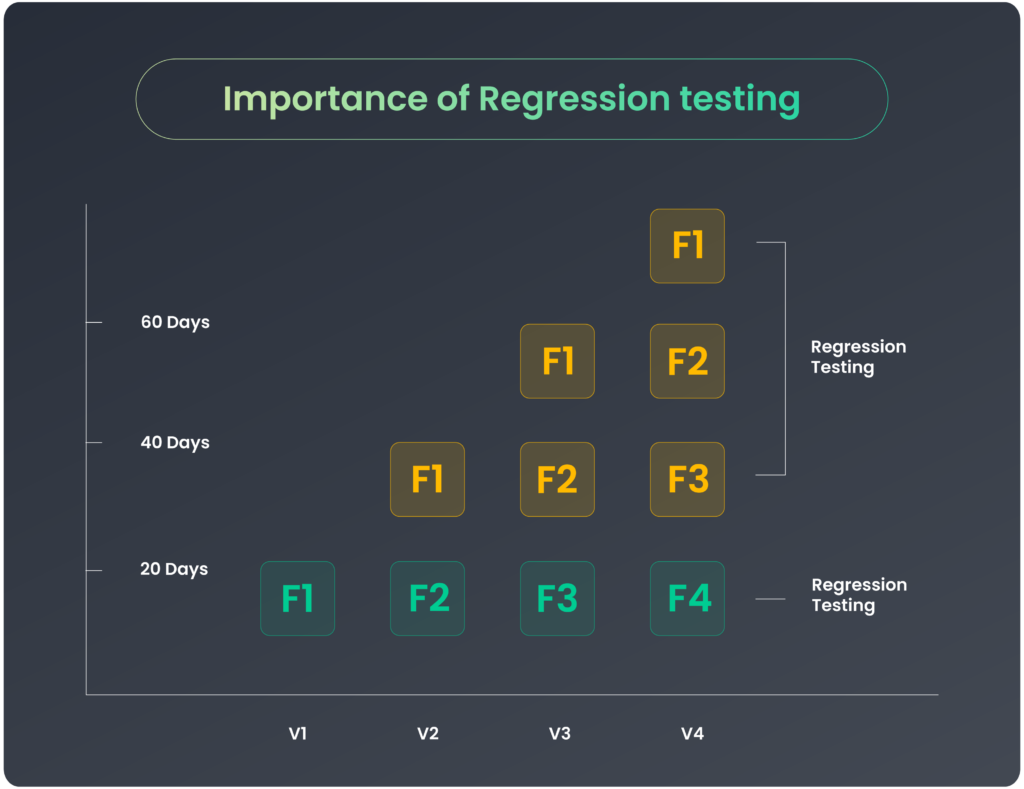
Regression testing offers several advantages throughout the software development lifecycle. Here are a few examples:
Cost optimization
Whenever software undergoes changes, companies use regression testing to remove the risk of costly future product repairs. For instance, users’ private data may become exposed during a recent product update. Malicious individuals can use this for harmful purposes, resulting in financial losses for the organization.
Enhanced software quality
Thorough regression testing ensures software deployed into production is free from anomalies and maintains its quality and stability.
Improved customer satisfaction
The purpose of building software or products for users is to solve their pain points. Delivering high-quality software that meets customer expectations and functions as intended is important for customer satisfaction. Regression testing helps identify and address potential issues before they reach end-users.
Reduced risk of breaking existing functionality
Adding new functionalities should not compromise your software’s current performance. Use regression testing to ensure that these functionalities integrate smoothly with the existing system without causing disruptions. This careful approach helps maintain the software’s stability and reliability.
Increased confidence in new releases
Comprehensive regression testing gives stakeholders and the development team confidence that the software has undergone thorough validation and is ready for release without causing significant disruptions.
Prevent launch delays
By incorporating regression testing into the development cycle, teams can identify and fix defects early, reducing the likelihood of downstream problems and subsequent delays.
Types of regression testing
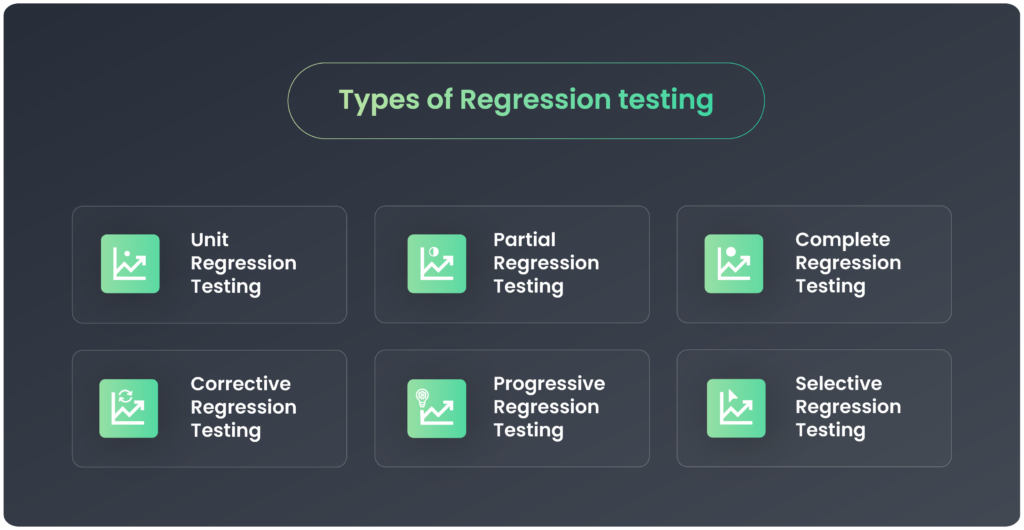
Understanding the types of regression testing helps you choose the right approach for your project. Here’s a list of the different kinds of regression tests you may encounter.
Unit regression testing
This type tests individual parts of the code, such as functions or methods, to ensure they work correctly. For example, it tests whether a login function properly handles incorrect user credentials.
Partial regression testing
Partial regression testing checks only certain recently updated parts of the software. This approach helps identify whether the new changes have disrupted the existing functionalities.
Complete regression testing
Complete regression testing ensures that the entire software maintains its functionality along with the newly added updates. It validates end-to-end functionality after any change, no matter how small. Because of its broad scope, complete regression testing is most commonly handled through automated tests rather than manual testing.
Corrective regression testing
Corrective regression testing checks fixes and updates to see if they solve the problems they’re meant to without creating new issues. It often includes routine checks to ensure that no changes have unexpectedly affected the software. This testing is also useful for checking whether existing tests can still be applied without modifications.
Progressive regression testing
Progressive regression testing is performed step-by-step as new features are added. This ensures that each new addition integrates well with the existing system. Testers adjust their test scripts to account for these changes.
Selective regression testing
Selective regression testing, sometimes called regression test selection, involves choosing and running a subset of test cases from the existing test suite to reduce testing costs and time. It typically focuses on areas based on specific criteria such as risk, priority, or code coverage. For instance, testers might focus on ensuring that a payment system correctly processes large transactions.
Regression testing techniques
There are several techniques to choose from when it comes to regression testing. Each has its own strengths and weaknesses.
Retest everything
After any code changes, this technique executes the entire test suite, including all test cases. For example, when releasing a new version of your product or core application, you often need to retest the whole system. It ensures that all features and functionalities work as expected after the changes. Because of the volume of test cases involved, this technique is best suited to automated regression testing rather than manual testing.
Regression test selection
This technique increases the speed of testing by selecting the most impactful test cases that are likely to be affected by changes in the program. This focused selection helps complete regression testing more quickly and efficiently.
Test case prioritization
In every regression test, some features impact a software’s success and functionality more than others. Prioritize these features and execute test cases to test the added features thoroughly.
For instance, in an e-commerce application, test cases related to the checkout and payment processes can be prioritized and executed first during regression testing, as these are critical functionalities that need to work correctly.
Hybrid strategy
A hybrid strategy combines techniques like test case prioritization and regression test selection for efficient and thorough testing. This method is ideal for complex projects that need quick yet comprehensive testing. It integrates different approaches to cover the most critical parts of your application without sacrificing speed or quality.
Regression testing best practices
Implementing the right best practices is key to optimizing regression testing and ensuring consistent, high-quality results. Here are some best practices to consider:
Develop a comprehensive regression testing plan
A regression testing plan should define the scope and goals. It should also cover the testing strategy, test cases, resources, and timelines. This plan serves as a roadmap for the entire regression testing process. It also helps ensure consistency and completeness.
Identify code modifications
Carefully analyze the code changes, bug fixes, and enhancements made in the current development cycle. This analysis identifies the area of the software that may be impacted and require regression testing.
Prioritize affected areas and test cases
Prioritization is key to optimizing regression testing efforts. Categorize test cases based on their criticality and the likelihood of being affected by the changes:
- High-priority tests for core functionality: To ensure stability, test cases covering the most critical and frequently used features should be prioritized.
- Medium priority tests for important features: Next, include test cases for significant but less critical functionalities.
- Low-priority tests for complex or edge cases: If time and resources are limited, these test cases can be executed later or deprioritized.
Define testing entry and exit criteria
Establish clear entry and exit criteria for regression testing. Entry criteria may include conditions like successful completion of unit testing, availability of test environments, and code readiness. Exit criteria could involve metrics such as test case coverage, defect resolution, and stakeholder approval.
Categorize regression test cases
Categorize test cases based on various factors to support efficient execution and maintenance:
- Automated vs. manual regression testing: To achieve faster execution, identify the test cases that are automated and the ones that require manual intervention.
- Critical vs. Non-critical feature tests: Separate test cases based on the criticality of the features they cover.
- Functional, performance, security, etc.: Group test cases by different types of testing for better organization and focused testing.
Set up appropriate test environments
Ensure that dedicated test environments are available. Configure the environment to mirror production-like conditions. This includes hardware, software, data, and network configurations.
Schedule and execute regression tests
Build a consistent schedule for running your regression suite. Consider factors like test case prioritization, available resources, and release timelines. Automate the execution process as much as possible to improve efficiency and consistency.
Measure and analyze regression testing results
Collect and analyze test results related to test case execution, defect detection, and general regression testing effectiveness. Use these insights to identify areas for improvement and refine the regression testing process for future releases.
Top 7 regression testing tools and frameworks
Choosing the right regression testing tool can make a major difference in how well your team catches bugs and maintains software quality. Here are seven popular options:
Ghost Inspector
Ghost Inspector simplifies regression testing by giving testers the power to create no-code/low-code automated regression tests that simulate user flows on a website or web app. With Ghost Inspector, tests can be recorded, saved, and scheduled for future automated runs, ensuring that regression bugs are caught and resolved before they can cause issues for users.
Thanks to Ghost Inspector’s detailed reporting features and screenshots, testers can easily monitor test results for each run. Ghost Inspector’s robust API and integrations with GitHub, GitLab, and BitBucket make it easy to incorporate automated regression testing into any QA team’s development cycle.
Selenium
Selenium is an open-source regression testing tool for performing cross-browser testing across various browsers and operating systems. It supports the reusability of test scripts, making it a reliable choice for automation testing at scale. Selenium consists of three major components: Selenium IDE, which can be used to record tests; web driver, which is used to write tests; and Selenium Grid, which allows testing on various devices.
Cypress
Cypress is another open-source end-to-end software testing tool built on the Javascript programming language. It uses the Chrome dev tools to debug your code as you test along easily. Cypress enhances visibility into the testing process by automatically taking screenshots at every step, providing testers with a clear and detailed view of each test stage.
Playwright
Built on Node.js, Playwright is a headless web testing tool built by Microsoft. It uses the command line to write automated test scripts without a browser IDE. A major feature of Playwright is that it supports various programming languages, making it an inclusive tool for developers of different backgrounds.
Puppeteer
Puppeteer is a Node.js library created by Google for automating the Chrome browser. While not primarily designed for regression testing, it can be used by writing scripts to interact with web applications and perform necessary validations. Puppeteer is particularly useful for automated regression tests in JavaScript-heavy applications.
Katalon Studio
Katalon Studio is an all-in-one test automation solution that supports web, mobile, and API testing. It offers a comprehensive platform for creating, executing, and managing your regression suite. Katalon provides both a user-friendly interface and a scriptless approach, making it accessible to users with varying technical expertise.
Appium
Appium is an open-source automated testing tool for UI testing across multiple platforms. It’s made up of three components: the Appium Client, which is used to write the testing scripts; the Appium server, which works as a messenger that transfers commands and responses between the client and the software; and, lastly, the End device, where the tests are carried out.
Regression testing vs retesting
The main differences between retesting and regression testing lie in purpose, scope, test case selection, and timing within the software development lifecycle.
Purpose: Regression testing aims to ensure that existing functionalities remain unaffected after changes. Retesting focuses on verifying fixes or improvements made to address previously identified defects.
- Scope: Regression testing covers a broader scope, including both modified and unmodified areas of the software. Retesting is typically limited to the specific areas impacted by the defect fixes.
- Test case selection: Regression testing may involve executing a subset or the entire suite of test cases. Retesting typically targets only the test cases related to the bug fix or fixed defects.
- Frequency and timing: Regression testing is a recurring activity performed after every code change or update. Retesting occurs after defects have been addressed, often during the testing or bug-fixing phase.
Challenges in regression testing
Despite its importance, regression testing presents several obstacles that organizations must overcome.
Time-consuming and costly
Regression testing is not a one-off activity; it involves continuous testing and retesting, which can be time-consuming and affect the development team’s productivity. This is one of the strongest arguments for investing in automated regression testing early, rather than relying on manual regression testing as your codebase grows.
Complex
Regression testing can be complex and overwhelming because it requires developers to constantly monitor and analyze test results after each update to the codebase. To make this easier, the development team should break down the testing process into smaller, manageable parts, focusing on test coverage for the highest-risk areas first.
Regular maintenance
When software or websites are updated with code, the newly added features need to be tested and tracked. Maintaining an up-to-date regression suite that aligns with the code updates may take time due to the frequent number of updates requiring testing.
Communicate business value
When new features are added to the software, communicating the business value of the updates to team members not directly involved in regression testing can be challenging, especially for non-technical members. Involving the entire team in the testing and development processes is important.

FAQ on regression testing
What is regression testing used to test?
Regression testing ensures that existing software functionalities continue to work as expected after code changes or updates. It validates the newly added features and the previously working components to detect any unintended regressions or breaks introduced by modifications.
Is regression testing the same as UAT?
No, regression testing and User Acceptance Testing (UAT) are different. Regression testing is performed in-house by developers and QA engineers to verify new features and ensure existing functionalities remain stable. UAT involves end-users testing the software in real-world scenarios to validate if it meets the intended requirements.
What is the difference between regression testing and regular testing?
Regular testing focuses on validating new features or functionalities during initial development. Regression testing, however, retests existing functionalities after updates to confirm their continued stability and detect any regressions caused by changes.
What is the difference between regression testing and smoke testing?
Smoke testing is a quick, surface-level check to verify that the core features of a build are working before deeper testing begins. Regression testing is more comprehensive, covering a broader set of test cases to ensure that existing functionality has not been broken by recent changes. Smoke testing is often used as a first gate before a full regression test suite is run.
What is the difference between regression testing and unit testing?
Unit testing focuses on verifying individual components or functions of the code in isolation during development. Regression testing is performed after changes are made to the broader system, checking that those changes have not broken any existing functionality across the application.
What is automated regression testing?
Automated regression testing uses test automation tools to run regression test cases automatically, without manual intervention. It is the most practical approach for teams working in agile development environments or CI/CD pipelines, where code changes are frequent and running a full manual regression test suite after every update would be too time-consuming.
How often should regression testing be performed?
Regression testing should be performed any time a code change is introduced, whether that’s a new feature, a bug fix, or a configuration change. In agile and CI/CD environments, automated regression tests are often triggered automatically with every new code commit.
What is the difference between regression testing and integration testing?
Integration testing helps make sure that different modules or components of the software work correctly together. Regression testing ensures that changes made anywhere in the codebase have not broken existing functionality. The two are complementary and are often run together as part of a broader software testing strategy.
Optimize your regression testing with Ghost Inspector
Understanding regression testing and how it’s applied in software development is key to maintaining the quality and reliability of your product. Regression testing is essential for catching bugs that may arise from software changes and impact existing functionalities. Ghost Inspector automates this process, allowing your team to run predefined automated regression tests regularly across your entire regression suite.
Book a Demo today to learn how we can speed up the regression testing process and improve software quality for you through automated testing. Or you can watch a demo on-demand by filling out the form below.