







So your team just pushed a CSS update. All your functional tests pass, the deployment goes through, and everything looks fine in-browser. Two hours later, a user reports that the checkout button has disappeared on mobile. Technically, the button still works, but now it’s hidden just below the fold, so your tests had no way to flag the issue. This is what’s known as a visual regression, or visual bug, and it’s one of the most common ways UI problems slip into production unnoticed.
A visual bug is defined as any unintended change to how a UI looks without stopping the application from functioning, like a misaligned button, an overlapping element, or a broken mobile layout. 88% of users will abandon an app that glitches often, while 32% will give up on a brand entirely if they think it’s inconsistent. The price of user trust is high, and your websites and applications can’t rely on functional testing alone.
In this article, we’ll break down why visual bugs are so hard to catch in modern websites and web apps, where traditional testing comes up short on coverage, and how automated visual testing helps QA teams get ahead of UI problems before they reach production.
Table of Contents
- Why are visual regressions harder to catch than functional bugs?
- How does modern frontend development make UI issues more common?
- What does traditional regression testing miss?
- Why are teams relying more on visual testing?
- What are common examples of visual regressions?
- How does Ghost Inspector help teams catch UI regressions earlier?
- Visual regression testing FAQ
Why are visual regressions harder to catch than functional bugs?
A broken UI produces no test failure. Your site keeps working, your tests keep passing, and nothing flags the problem until a user finds it.
Automated tests are designed to check behavior. They confirm that a button is clickable or a form can be submitted correctly. Whether the same page is also visually correct is a separate property that requires different tools to evaluate. A developer can ship a button that’s fully functional in the DOM while it’s visually hidden, misaligned, or obscured by another element; a functional test has no mechanism for catching that.
When your layout is broken, your product gets devalued very quickly to users, an outcome that can be difficult to recover from. Users don’t always know or care whether a bug is visual or functional. They just know the experience felt wrong, and they act accordingly.
How does modern frontend development make UI issues more common?

The way modern frontend applications are put together creates more opportunities for visual regressions than most teams expect, with several factors combining into a perfect storm.
Responsive design means a single CSS change has to hold up across dozens of breakpoints, browsers, and screen densities. A layout that looks correct at 1440px can easily break at 390px, but there’s no practical way to manually check that every combination looks right after each deployment.
Reusable components mean a single change can affect the entire application in ways the developer didn’t anticipate. When a developer updates spacing in a shared component, that change propagates to every page that uses it. They test it in one place while a dozen others go unchecked. This is one of the most common sources of visual regressions in React and Vue applications, where component reuse is fundamental to how the codebase is organized.
Single-page applications add even more UI states to account for. Components shift based on user interactions and application state, and those states (loading, empty, error) rarely get the same test coverage as the happy path. A developer can verify that a component renders correctly with a full data payload without ever seeing how it looks when that payload is empty or delayed.
Then there’s release frequency. Many teams push frontend updates multiple times a day through CI/CD pipelines, which leaves very little room for thorough visual review between releases. It’s a problem that’s hard to outrun manually. The Codacy State of Software Quality report found that over 40% of teams still rely on manual frontend testing, and when releases are going out multiple times a day, that approach quickly becomes unsustainable.
Browser rendering differences add another dimension entirely. Chromium (Chrome and Edge), Gecko (Firefox), and WebKit (Safari) all interpret CSS differently, and according to MDN Web Docs, those differences show up in common CSS patterns, not obscure edge cases. A layout that looks perfect in Chrome can fall apart in Safari without any code change at all.
What does traditional regression testing miss?
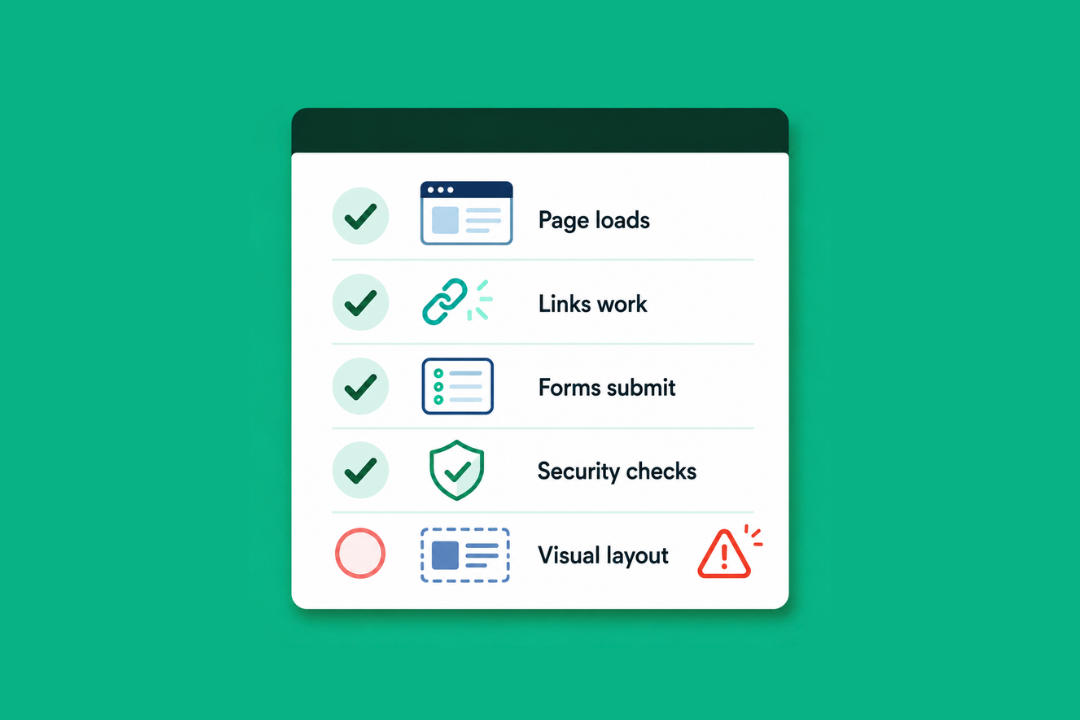
Regression testing gives QA teams reliable coverage for functional behavior after code changes. Automated browser tests confirm that forms submit, pages load, and critical user flows keep working. Where they often fall short is in anything that requires an evaluation of how the UI looks rather than how it behaves.
A passing test confirms a checkout button is clickable. It says nothing about whether the button has shifted below the fold on a 375px viewport, or whether a z-index change has pushed another element in front of it entirely. A login flow passes regardless of whether a navigation overlay covers half the form in Safari. A CSS variable update can make a CTA invisible against its background and every functional test will still pass because the element is there and technically interactive.
According to the IBM Systems Sciences Institute, fixing a bug after release costs 4-5x times more than catching it during development. Visual regressions that reach production sit at the expensive end of that range, and they get there precisely because nothing in a functional test report tells the team they exist.
Manual visual review picks up some of what automated functional testing misses, but it has hard limits at the pace most teams operate at. Thorough cross-browser, cross-viewport review of every affected page before every deployment is expensive in time and attention, and the cost grows with the application. Review tends to concentrate on the most-visited pages and highest-priority flows, which means regressions in secondary views or less-trafficked parts of the UI accumulate until a user finds them. For more on how regression testing fits into a complete QA strategy, read our guide to what regression testing is and how it works.
Why are teams relying more on visual testing?
As applications get more component-driven and release cycles get faster, functional testing’s blind spot gets more expensive to ignore. Every shared component change, every responsive layout update, and every SPA state is a potential visual regression that a passing test suite won’t catch. And waiting for users to report any problems shouldn’t be a viable option.
Automated visual testing works by comparing screenshots of the UI against a known baseline after each code change. Any layout shift, rendering difference, or unexpected style change gets flagged for review automatically, without anyone having to manually check every affected page. For teams that manage large component libraries or deploy frequently, this closes a category of risk that functional testing leaves entirely uncovered.
The coverage advantage is significant for shared components in particular. A component-level change that touches dozens of pages gets caught in a single test run, at the point in the pipeline where it’s still easy to address, rather than after it’s reached users across your entire app.
When visual checks run alongside functional tests on every deployment, UI problems get caught at the same stage as broken workflows, early enough in the release cycle to make the fix faster and less disruptive.
What are common examples of visual regressions?

Visual regressions show up in a variety of ways depending on the type of application, the frequency of updates, and how much the site relies on shared components. Some of the most common include:
- A button that exists in the DOM but gets hidden behind an overlapping element after a z-index change
- A checkout button pushed below the fold on mobile after a CSS update
- A shared component update that alters the appearance of multiple pages at once
- A CSS variable update that makes a CTA invisible against its background
- Styling differences between Chrome and Safari that only appear on certain screen sizes
- CTAs or form fields that become partially hidden after a spacing or layout adjustment
- Design system updates that unintentionally change font sizes, colors, or spacing across the application
- Dynamic content states, like loading indicators or error messages, that render incorrectly after a code change
What all of these have in common is that the underlying functionality still works, which is exactly why they need their own testing process and can’t be relied on to turn up in functional test failures.
How does Ghost Inspector help teams catch UI regressions earlier?
Ghost Inspector is a no-code automated browser testing tool that lets QA teams test functionality and visual appearance in a single workflow. After each test run, Ghost Inspector captures screenshots, compares them against a saved baseline, and automatically flags any layout shifts, element changes, or rendering differences before they reach production. It’s designed for teams that need thorough visual and functional coverage across websites and web apps but don’t want the hassle of a separate visual testing tool or custom scripts.
Here’s what that includes:
- Screenshot comparison on every test run. Ghost Inspector captures screenshots automatically during each test and compares them against an approved baseline, so unexpected visual changes get flagged without any extra setup.
- Scheduled visual monitoring. Tests run on a set schedule throughout the day and give teams an ongoing view of how their UI looks across different environments, including changes introduced by third-party scripts, CDN updates, or CMS edits that a standard pull request workflow would never trigger.
- CI/CD integration. Ghost Inspector connects with tools like GitHub Actions (GitHub’s built-in workflow automation platform), Jenkins (an open-source automation server), and CircleCI (a cloud-based continuous integration platform), so visual checks run automatically as part of the deployment pipeline and catch issues before a merge goes out.
- Cross-browser and responsive testing. Tests run across multiple browsers and screen sizes in the same workflow and cover the rendering differences between Chrome, Safari, and Firefox that are among the most frequent sources of visual regressions.
- No-code test building. The visual test recorder lets anyone on the team record user flows and set baselines without writing code, which makes it practical for any QA team to build coverage as the application grows.
- Instant alerts. When Ghost Inspector detects a visual change, it sends notifications via email, Slack, Microsoft Teams, PagerDuty, and other integrations so issues don’t sit unnoticed.
To learn more about how Ghost Inspector handles automated screenshot comparisons and cross-browser visual testing, visit the Ghost Inspector visual regression testing page.
Visual regression testing FAQ

How do you handle baseline drift in visual regression testing?
Baseline drift happens when approved visual changes accumulate over time, and the baseline no longer shows the intended design. The best approach is to treat baseline updates as a deliberate step in your review process, rather than something that happens automatically. In Ghost Inspector, you can update baselines manually after a visual change is reviewed and approved, keeping the comparison accurate and minimizing false positives from intentional updates getting flagged.
How do you reduce false positives in visual regression tests?
Most false positives come from dynamic content that changes between test runs, like timestamps, ads, or user-generated text. The most effective approaches are to mask dynamic regions in your screenshots, set a pixel difference threshold that accounts for minor rendering variation, and run tests in a stable environment with consistent viewport sizes and browser versions. Ghost Inspector supports all of these, which keeps test results focused on actual regressions rather than expected variation.
How should a QA team prioritize visual regression coverage across a large application?
Start with the flows that carry the most business risk: checkout, login, onboarding, and any page that relies heavily on shared components. These are the areas where a visual regression is most likely to affect conversion or user trust, and where a shared component change is most likely to produce unexpected downstream effects. From there, expand coverage to include pages that get updated frequently and any views that have a history of visual regressions in past releases.
Can visual regression testing be automated?
Yes. Tools like Ghost Inspector handle the entire screenshot capture and comparison process automatically, and run checks on a schedule or as part of a CI/CD pipeline. This is especially useful for teams with frequent deployments, shared component libraries, or applications that need to hold up across multiple browsers and screen sizes.
What pages or flows should be prioritized for visual regression testing?
Start with the highest-impact pages and flows: the homepage, login, checkout, and any pages that rely heavily on shared components. From there, coverage can grow to include other critical flows and pages that get updated frequently.
Conclusion
Visual bugs are harder to catch than functional bugs, since they don’t lead to functional test failure and leave no error trail. But their impact on user experience is just as damaging. As frontend applications continue to become more component-driven and release cycles continue to speed up, the window for manual visual review becomes less and less viable. Automated visual testing gives QA teams a way to close that window without slowing releases down.
If you’re ready to start catching visual regressions before your users do, Ghost Inspector’s automated visual regression testing tools are a good place to start.