Table of Contents
- How does end-to-end testing work?
- When should you use end-to-end testing?
- What are the benefits of end-to-end testing?
- End-to-end testing vs. integration testing vs. unit testing: the test pyramid
- End-to-end testing best practices
- How to automate end-to-end testing with Ghost Inspector
- Key takeaways
- FAQ
How does end-to-end testing work?
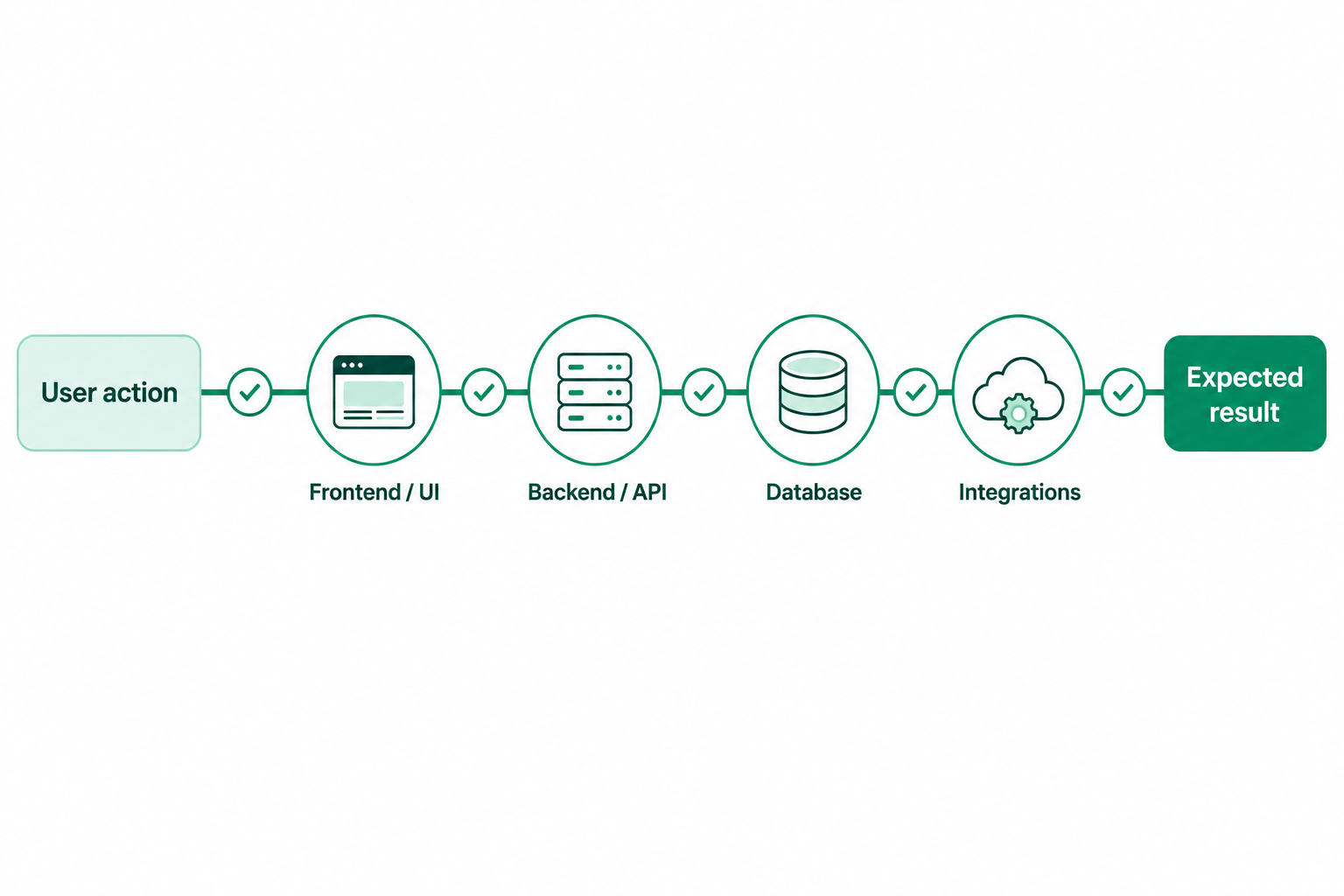
End-to-end testing works by simulating a complete user workflow and verifying that the different parts of an application work together as expected. Rather than testing an individual component in isolation, an E2E test follows an action across multiple layers of the application, from the user interface through backend services and databases.
For a web application, that could mean testing a complete workflow such as creating an account, logging in, submitting a form, or completing a purchase.
End-to-end testing example
Here’s a simplified example of what an E2E test might touch:- A button is clicked in your application’s GUI in a web browser.
- The button triggers JavaScript code.
- The JavaScript code makes an API call to your backend.
- Your backend server receives the request and runs code of its own.
- The backend code queries your database for data.
- The data is processed and sent back to the frontend of your application.
- The application processes the data in JavaScript and updates your GUI.
That broad coverage is also what makes E2E testing valuable. A unit test might confirm that an individual function works correctly, but it won’t necessarily catch a problem that occurs when the frontend, API, backend, and database interact. E2E testing helps uncover those issues by validating the complete workflow.
The tradeoff is that E2E tests come with a higher maintenance tax. Every type of automated testing requires some maintenance, but that tax generally increases with test complexity. Unit tests typically deal with small, isolated pieces of functionality, so changes elsewhere in an application are less likely to affect them.
E2E tests sit on the opposite side of that spectrum. Because they can interact with multiple layers of an application, a change to any one of those layers may affect the test data or behavior. That can make E2E tests more prone to breakage and more expensive to maintain, which is why they’re generally most valuable when focused on important user workflows.
When should you use end-to-end testing?
- Signup and account creation
- Login and authentication
- Password reset flows
- Checkout and payment flows
- Onboarding workflows
- Subscription changes or billing updates
- Form submissions that trigger important backend actions
- Admin workflows that affect customer data
- Critical production monitoring journeys
When not to use end-to-end testing
E2E testing is powerful, but it shouldn’t be used for everything. Avoid writing E2E tests for:- Every button on a page
- Every visual state of a component
- Every form validation rule
- Small pieces of isolated business logic
- Edge cases that are easier to test at the unit or integration level
- Scenarios that do not represent meaningful user workflows
Automate your most important end-to-end tests
Use Ghost Inspector to monitor critical user journeys, catch regressions, and keep releases moving with confidence.What are the benefits of end-to-end testing?
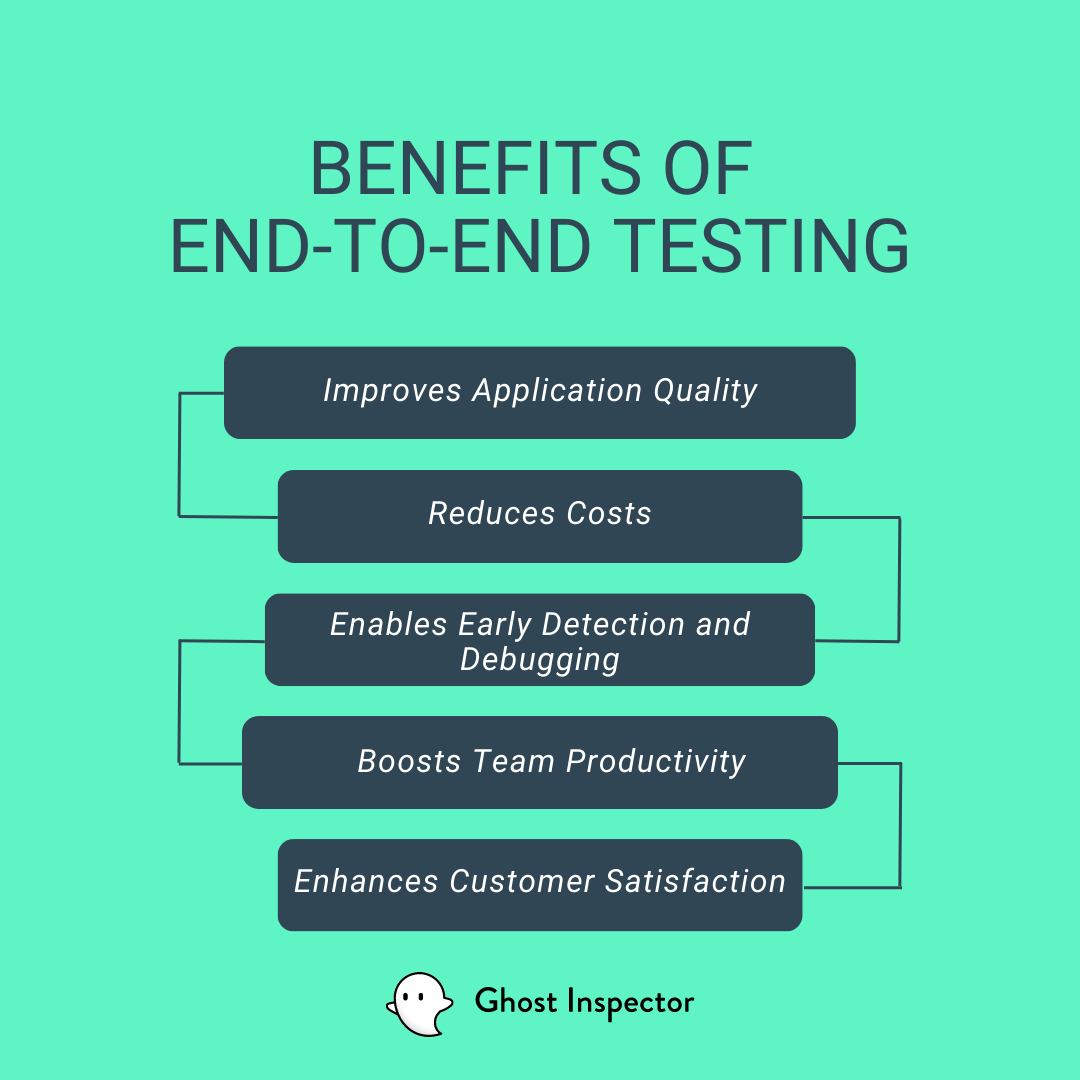 E2E testing is most valuable when it validates the full workflows users depend on, across the application stack.
Validates complete user workflows
E2E tests confirm that a user can complete an important task from beginning to end. Instead of only verifying that individual parts work in isolation, E2E testing checks whether the whole experience works together. That makes it especially useful for signup, login, checkout, onboarding, password reset, and other high-impact journeys.Tests integrations across the application stack
Modern applications rarely live in one place. A single user action may involve frontend code, backend services, APIs, databases, third-party tools, authentication providers, email systems, and payment processors. E2E testing helps validate that these pieces integrate correctly. It can catch issues that unit tests and isolated integration tests may miss.Builds confidence before deployment
Because E2E tests simulate realistic user behavior, they can give teams more confidence before shipping changes. Running E2E tests as part of a CI/CD pipeline helps verify that critical workflows still work before code reaches production.Catches issues smaller tests can miss
Unit tests and integration tests are essential, but they don’t always catch full-system problems. A button might work, an API might respond, and a database query might succeed — but the complete workflow could still fail for the user. E2E testing is designed to catch those gaps.Simulates real user behavior
E2E tests typically interact with the application through the browser, just like a real user. That makes them useful for validating the actual experience customers see, including UI behavior, navigation, state changes, and final outcomes.End-to-end testing vs. integration testing vs. unit testing: the test pyramid
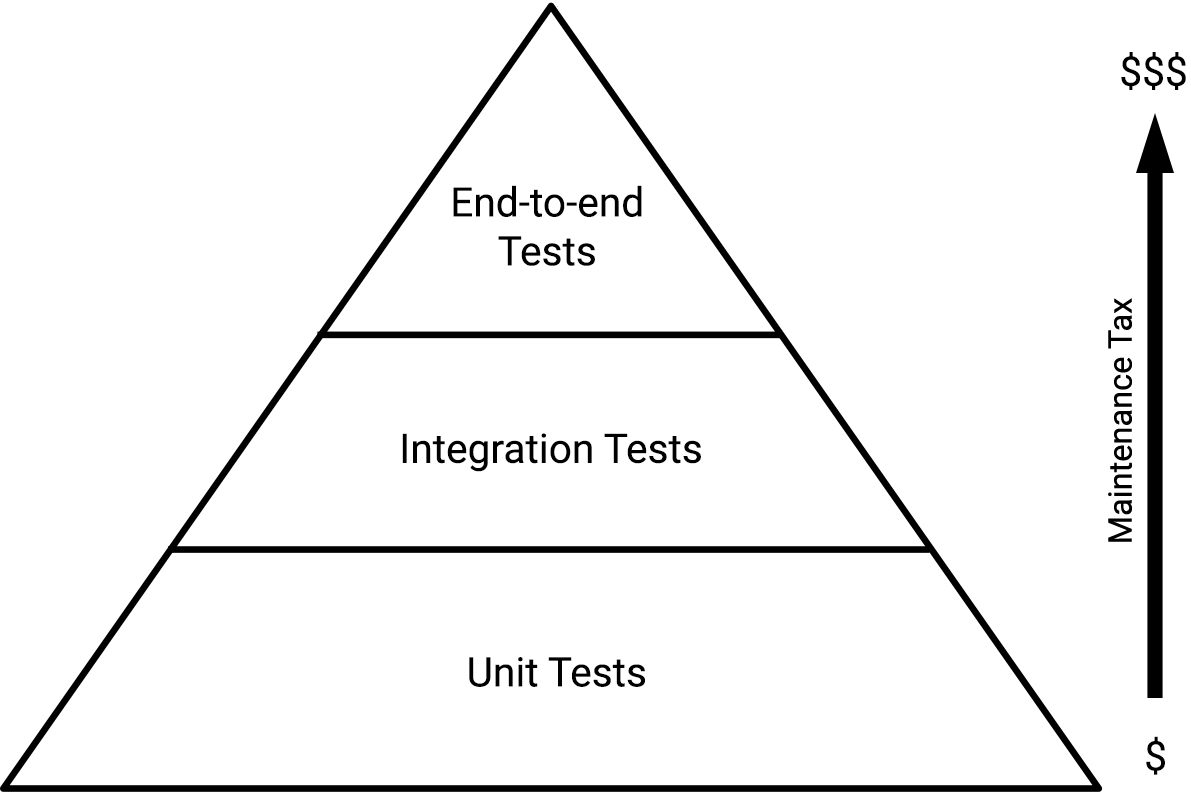 Think of it like basketball. A unit test might check an isolated skill, such as dribbling, passing, or taking a free throw. An end-to-end test is closer to running a full play.
End-to-end testing best practices
Test critical paths first
Start with the workflows that matter most to your users and your business. Signup, login, checkout, onboarding, and password reset flows are often better candidates than low-impact UI interactions.Don’t overuse E2E tests
E2E tests are valuable, but they’re not a replacement for unit and integration tests. Keep the test pyramid in mind and avoid using E2E tests for logic that can be tested more easily at a lower level.Keep tests independent
Each E2E test should be able to run on its own whenever possible. Tests that depend on the result of another test are harder to debug and more likely to fail for reasons unrelated to the feature being tested.Use stable selectors
Avoid relying on brittle selectors that are likely to change when the UI changes. Stable test IDs, clear element labels, or intentional selectors can make E2E tests easier to maintain.Run E2E tests in CI/CD
Running E2E tests manually can help, but automated E2E tests become much more valuable when they run as part of your build or deployment process. This helps catch regressions before they reach users.Keep test data predictable
E2E tests often rely on users, accounts, records, or other data. Make sure that test data is reliable, isolated, and easy to reset so tests don’t fail because of stale or unexpected state.Monitor important production workflows
Some E2E tests can also be useful as production monitors. For example, teams may schedule tests that confirm a login page, checkout path, or form submission works from the user’s perspective.Manual vs. automated E2E testing
Manual E2E testing can be useful when exploring a new workflow, validating a one-time release, or checking a scenario that changes frequently. But manual testing becomes difficult to scale when the same critical workflows need to be checked repeatedly.How to automate end-to-end testing with Ghost Inspector

- Create automated browser tests for critical user workflows
- Record and edit tests for repeatable scenarios
- Schedule tests to run automatically
- Run tests across different environments and datasets
- Add E2E checks to CI/CD workflows
- Capture screenshots to help detect visual regressions
- Test complex browser scenarios such as iframes, file uploads, date pickers, 2FA logins, email flows, and more
- Monitor important production workflows from the user’s perspective
Key takeaways
E2E testing helps teams verify that important application workflows work from start to finish. It checks the full experience a user depends on, including the browser, frontend, backend, APIs, databases, and third-party services involved in a workflow.
Automate your most important end-to-end tests
Use Ghost Inspector to monitor critical user journeys, catch regressions, and keep releases moving with confidence.
E2E FAQ
What is the difference between E2E testing and functional testing?
Functional testing checks whether a feature behaves as expected. E2E testing is a type of functional testing that validates a complete workflow across the full system, usually through the user interface.
How many E2E tests should a team have?
There is no fixed number. Start with a small set of tests for the workflows that would cause the most user or business impact if they failed, then expand coverage as your product and QA process mature.
Should E2E tests run in CI/CD?
Yes, especially for critical workflows. Running E2E tests in CI/CD helps catch regressions before release. Some teams also schedule a smaller set of E2E tests against production to monitor important user journeys.
Why do E2E tests become flaky?
E2E tests can become flaky when they depend on unstable selectors, unpredictable test data, timing issues, third-party services, or environments that change between runs. Stable selectors, isolated data, and clear waits or assertions help reduce flakiness.
Can E2E testing replace manual QA?
No. Automated E2E testing is best for repeatable critical paths. Manual QA is still useful for exploratory testing, judgment-based checks, new workflows, and edge cases that are not worth automating yet.